

Booking Software for Teams and Multi-Staff Practices
Run a clinic, studio or practice with several professionals from one booking page. Klippme counts real capacity, assigns whoever is free, keeps every calendar separate and settles payments centrally. ₹399 per professional per month.
- Free plan
- No credit card
- 0% commission
- UPI payments
7-day free trial of every feature. Set up in about 5 minutes. Questions? Chat on WhatsApp
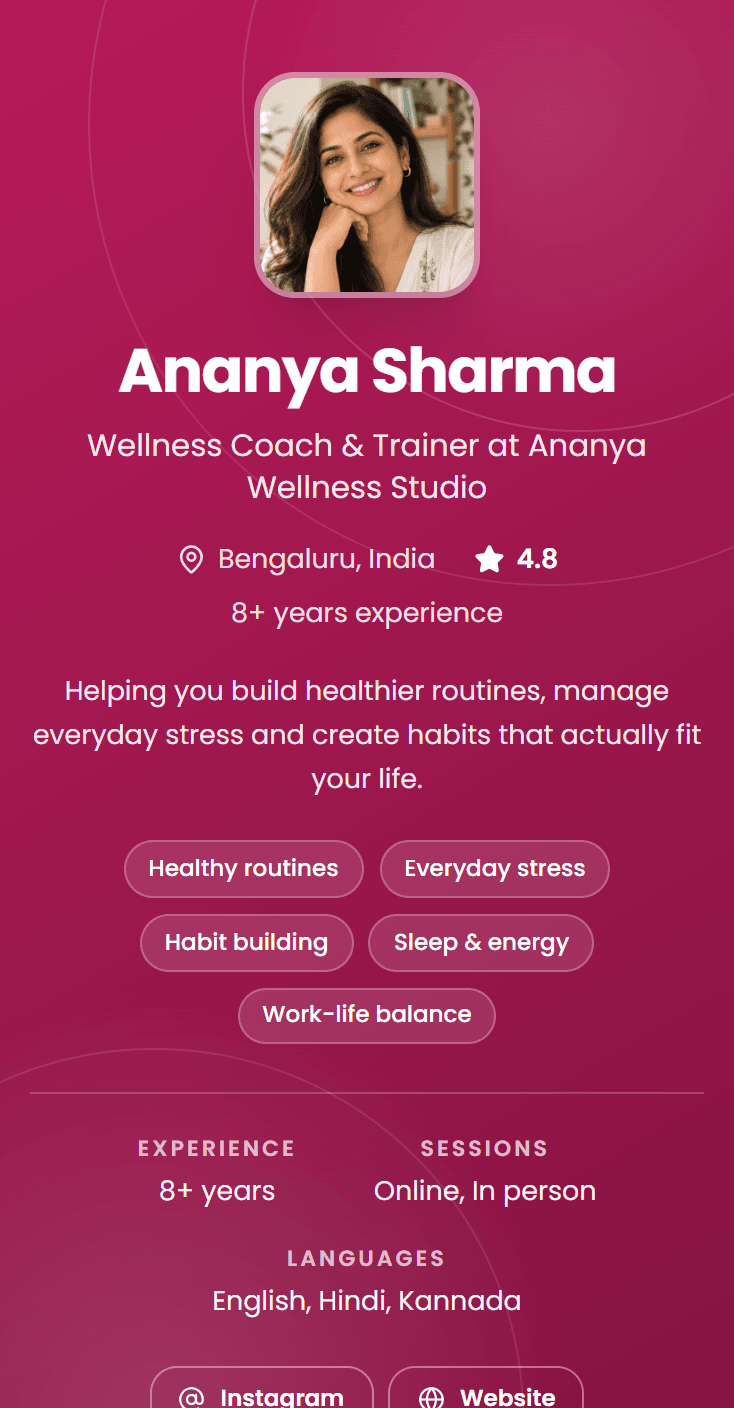
A real page, not a mockup
A practice with four professionals is not four booking pages. It is one page with a capacity problem: three physiotherapists free at nine in the morning means three people can be seen at nine, and most booking tools will quietly offer one slot and show the rest of the morning as full. The other two diaries sit empty while clients are told to try tomorrow.
Klippme counts the team properly. Every professional carries their own calendar, the page offers as many slots as there are people free, and a booking lands on whoever is actually available. Clients can pick the person they want by name, or book the service and let Klippme assign the least-busy professional who is free at that time.
Sound familiar?
What breaks when a second person joins
Capacity counted as one
Three people free at the same hour should be three bookable slots. A tool built for a solo practitioner offers one and turns the rest away.
One person, two calendars
A professional who also works outside your practice gets double-booked, and you find out when two clients arrive for the same hour.
A reception desk made of people
Someone reads every enquiry and decides who takes it. That person is the bottleneck, and they are also on leave sometimes.
Money you cannot attribute
Payments land in several places or in one place with no breakdown, and nobody can say which professional brought in what.
How it works
From enquiry to paid booking, without you in the middle
- 01
Add your professionals
Add each person by email address. The seat is live straight away, and their side activates the moment they sign in.
- 02
Say who delivers what
Tag each session with the professionals who run it, and set each person’s working week, time off and extra hours.
- 03
Share one link
Clients pick a person or just a service. The booking lands on the right calendar, is paid for up front, and reminders go out on their own.
What you get
What you get running a team
Real capacity, counted properly
Three professionals free at 9am means three clients can book 9am, rather than one slot and a full morning.
Never double-booked
A professional busy with their own work outside your practice is already blocked, so the two calendars cannot collide.
Show your people, or just your brand
List everyone by name with a photo and bio so clients choose, or keep the page brand-only and let Klippme assign whoever is free.
Assignment that spreads the load
With no one requested, the booking goes to the least-busy professional free at that time, instead of the same person taking everything.
Hours you control
Set each person’s working week yourself, or hand them their own diary. Time off and extra hours, per person, per date.
Tag who delivers what
Say which sessions each professional runs. Anyone with nothing tagged simply never appears for booking.
One payout, earnings per professional
Every payment settles centrally to you, broken down per person so you know who brought in what.
Reassign in two clicks
Someone calls in sick and their upcoming bookings move to another professional, with everyone told. A move that would double-book is refused.
Several branches, one link
Multi-location practices give each campus its own name, address and session menu, and availability is worked out per branch.
Pay visibility you decide
Choose per person whether they can see what a client paid. Off by default, and enforced in their emails and WhatsApp too.
Your booking page could be live before your next session.
Add your sessions, set your price, share one link. Clients book and pay without messaging you first.
Providers on Klippme
Real pages, taking real bookings
Open any of these and book a slot the way your clients would.
New moms comment on my reels at all hours, and I used to reply to each one by hand. Now Auto-DM sends them my booking link the moment they ask. It saves me hours every week, and I wake up to paid consultations instead of a pile of DMs.

Parents used to message me for dates and fees, and I kept losing track. Now I share one Klippme link. They pick a slot, pay, and get a reminder before the session. My workshop fills up without me chasing anyone.

I post a reel, people comment, and Klippme sends them the link to book. The payment comes in before the consultation and the Meet link goes out on its own. All I do is show up for the reading.

People want a quick call before they invest. My Klippme page lets them book a review in a couple of taps, and the Meet link reaches them automatically. It looks professional, and I’m not spending my day scheduling.

Pricing
Start free. Upgrade when you are busy.
Every new account gets 7 days of Growth free, with no credit card. 0% commission on every plan.
Free
₹0forever
- 1 one-on-one session, 10 bookings a month
- 1 group session, up to 10 seats
- Shareable booking link
- Email notifications & reminders
- Google Meet / Zoom links
- Manual & online payments (Razorpay)
- Cancellation & availability
Growth
₹499/month + GST
- Everything in Free
- Unlimited 1:1 + group sessions
- Unlimited bookings
- Coupon codes & flat discounts
- Session bundles & packages
- Email & WhatsApp reminders
Need your own domain or video courses? Compare all plans
Klippme at a glance
Klippme is a booking and payments page for people who run sessions, classes and workshops in India, online or in person, with Instagram and Facebook Auto-DM built in.
- Who it is for
- Coaches, consultants, therapists, yoga and fitness teachers, tutors, clinics, studios, workshop and experience hosts, tour and activity operators and creators in India, solo or as a team.
- Price
- Free plan available. Growth ₹499/month (₹4,990/year), Pro ₹999/month (₹9,990/year), plus 18% GST.
- Free trial
- 7 days of full access, no credit card.
- Commission
- 0% on every plan. Klippme takes no cut of session fees; only Razorpay’s standard gateway fee applies.
- Payments
- UPI, cards, net banking and wallets via Razorpay, paid into the provider’s own bank account. A manual mode lets clients pay any way and the provider confirms.
- What you can sell
- 1:1 sessions, group batches with seat limits, workshops and multi-day intensives, courses, session packages, in-person sessions with a venue and map link, recordings, video courses and documents.
- Reminders and meetings
- Email on every plan, WhatsApp on Growth and Pro. Google Meet and Zoom links generated for every online booking.
- Instagram Auto-DM
- Replies to comments, DMs and story replies with the booking link or a free guide, through Meta’s official Instagram API. Included on Growth and Pro.
- Teams
- Enterprise adds professionals under one brand at ₹399 per professional per month, on top of any paid plan.
- For clients
- No app and no account. They open the link, pick a slot and pay.
Questions
Questions clinics and teams ask
How much does it cost to add professionals?
Enterprise is ₹399 per professional per month plus 18% GST, charged on top of whichever plan you are on. It also works during the 7-day free trial, so you can add a second professional and see the whole thing working before paying for anything.
Do clients pick the professional, or is one assigned?
Either, and it is a setting you can change at any time. List your team by name with photos and bios and clients choose the person they want, or keep the page brand-only so clients book the service and Klippme assigns the least-busy professional who is free at that time.
Does my clinic get its own separate web address?
No, and this is worth knowing before you set it up. Your team is presented on the owner account’s own page at klippme.com/yourname rather than on a separate address for the organisation. One link covers the whole practice.
Does every professional need their own account?
You add each person by their email address and their seat is active immediately. They get their own login and diary the first time they sign in with that address, and until then you manage their hours and bookings for them.
What happens when somebody is on leave or off sick?
Set their time off and they stop being offered for those dates. For bookings already made, move them to another professional in two clicks and everyone is notified. If the move would double-book the person you picked, it is refused rather than silently accepted.
Can we run more than one branch?
Yes. Each campus carries its own name, address and phone, with its own menu of sessions, and availability and assignment are worked out per branch, so a client booking at one location is never offered someone who is only at another.
Can professionals see what clients paid?
Only if you allow it, per person. It is off by default and enforced everywhere, including the emails and WhatsApp messages they receive, so revenue stays yours to share.
What if a professional also works elsewhere?
Their own bookings outside your practice already block their calendar in Klippme, so your page will not offer a time they are not actually free.
Also built for
Booking Software for Counsellors
Take counselling appointments online. Klippme handles career, student, relationship and family counselling bookings: private links, prepaid sessions, reminders.
Booking Software for Offline & In-Person Sessions
Take bookings for in-person sessions at your studio, clinic or centre. Klippme sends the venue address and map link with every confirmation, and collects payment first.
Appointment Booking for Therapists & Counsellors
Private appointment booking for therapists, counsellors and psychologists in India. Discreet booking links, sessions prepaid by UPI, 0% commission and auto reminders.

Get started
Stop managing bookings. Start running your business.
Create your booking page in minutes and share it wherever your clients already find you.
Free plan. No credit card. 0% commission
Free plan. No credit card. 0% commission